



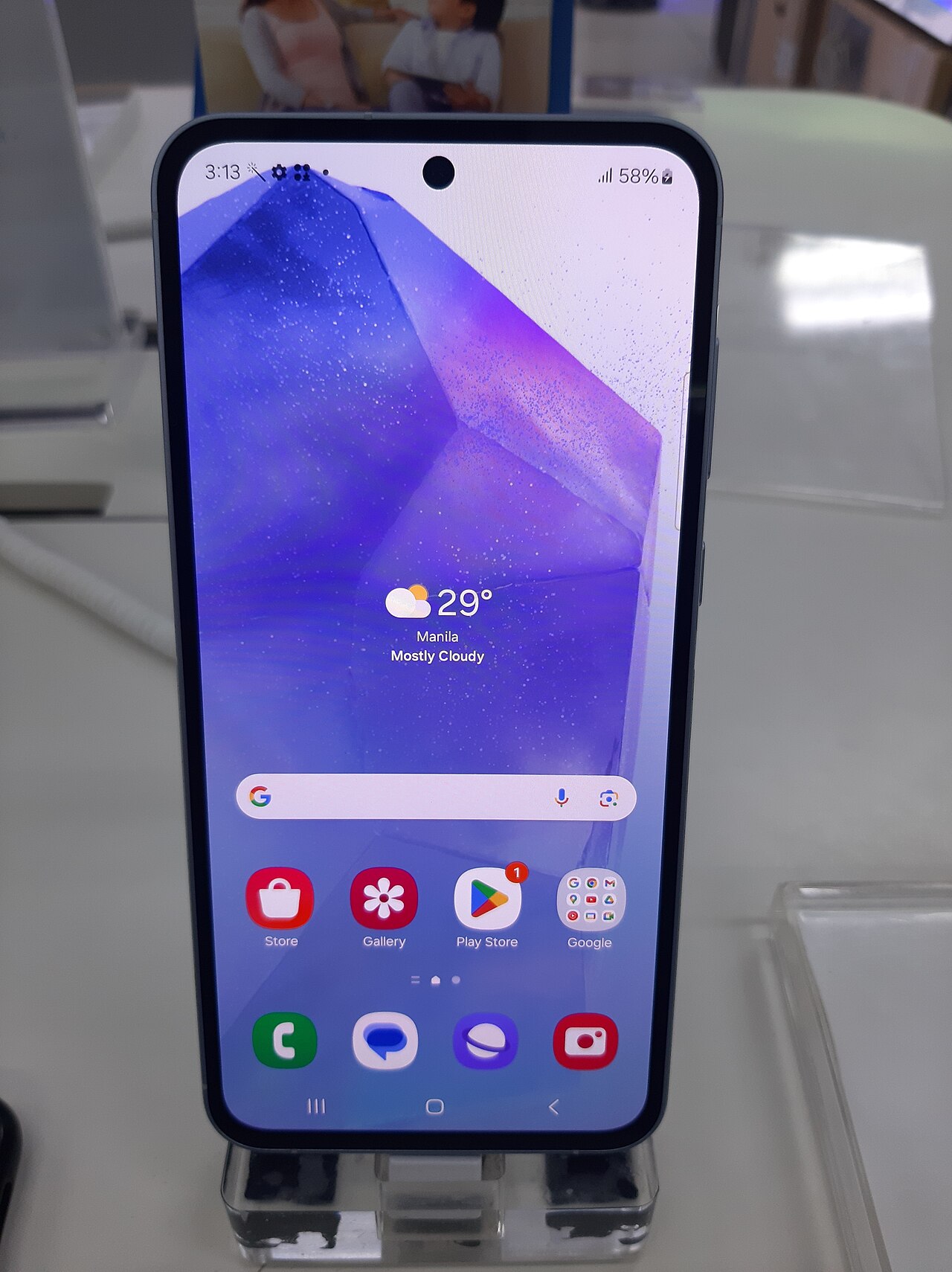
Samsung Galaxy A55 update has begun rolling out with One UI 9, but not everyone can update yet. This delay has frustrated many users eagerly waiting for new features.
Overview of One UI 9 Features
The latest update for the Samsung Galaxy A55 introduces One UI 9, packed with numerous features aimed at enhancing user experience. However, many users are experiencing significant delays in receiving the update, leading to frustration among the community.
One UI 9 brings a range of improvements, including:
- Enhanced User Interface: A more intuitive design that allows for easier navigation.
- Improved Performance: Optimizations that make the device faster and more responsive.
- New Privacy Features: Additional options to protect user data and enhance security.
- Customization: More options for personalizing the home screen and app layouts.
- Camera Enhancements: Improved photography features for better image quality and editing tools.
Despite these exciting features, the rollout has been slow, with many Samsung Galaxy A55 users still waiting for access. This delay raises concerns about the update process and its impact on user satisfaction.
Why the Update is Delayed
The recent delay in the Samsung Galaxy A55 update has left many users frustrated and confused. Several factors contribute to this situation, impacting the rollout timeline for One UI 9.
First, software testing and quality assurance processes are crucial. Samsung aims to ensure that the update runs smoothly without major bugs or issues. This extensive testing can result in delays, especially if any critical problems are detected late in the process.
Second, regional rollouts can complicate the update schedule. Samsung often releases updates in phases, prioritizing specific markets or carrier networks. This means that even when the update is ready, not all users receive it simultaneously.
Additionally, the hardware limitations of older devices can also delay the update for certain models. Samsung must ensure compatibility across its wide range of smartphones, which can slow down the overall release for the Galaxy A55.
As a result, many users may be left waiting longer than anticipated to experience the enhancements that come with the Samsung Galaxy A55 update.
How to Check for Updates
For Samsung Galaxy A55 users eager to experience the latest features, checking for updates is a straightforward process. Follow these steps to ensure your device is up to date.
- Open Settings: Swipe down from the top of your screen and tap the gear icon to access the settings menu.
- Scroll to Software Update: Navigate through the menu until you find the “Software Update” option.
- Check for Updates: Tap on “Download and install” to scan for any available updates for your device. If the Samsung Galaxy A55 update is available, you will see a prompt to begin the installation.
- Follow Instructions: If an update is detected, follow the on-screen instructions to complete the installation process. Ensure your device is charged or connected to a power source during this time.
Staying informed about the Samsung Galaxy A55 update is crucial, especially amid reports of delays affecting many users. Regularly checking for updates ensures you won’t miss the latest enhancements and security patches.
User Reactions to the Update
As the Samsung Galaxy A55 update continues to face significant delays, users have taken to social media to express their frustrations. Many have voiced concerns over the lack of communication from Samsung regarding the timeline for the rollout.
Some users have reported that they are eagerly awaiting the One UI 9 features, which include enhanced customization options and improved performance. However, the prolonged wait has led to disappointment, with several users labeling the delay as the “worst” in recent memory.
- “I’ve been waiting for weeks,” one user tweeted, showing their eagerness for the Samsung Galaxy A55 update.
- “Why is it taking so long?” another user questioned, highlighting the lack of transparency from the company.
- Many are now considering alternatives as the delay affects their overall user experience.
This growing dissatisfaction among users may put pressure on Samsung to expedite the update process and improve communication to retain customer trust.
Comparing A55 and A35 Updates
The recent rollout of the Samsung Galaxy A55 update has sparked discussions among users, especially when compared to the A35’s update experience. Both devices are set to receive the latest One UI 9 features, yet the A55 users have faced significant delays.
While the A35 has already begun receiving the update, many A55 owners are left wondering when they will experience the same. This disparity raises questions about the update strategy for Samsung’s mid-range smartphones. Here are some key comparisons between the two:
- Update Availability: A35 users have reported successful installations, while A55 users are still waiting.
- Feature Access: One UI 9 introduces various enhancements, but A55 users feel shortchanged due to the delay.
- User Feedback: A35 users have shared positive reviews, contrasting with the frustration voiced by A55 owners.
As the situation unfolds, many are eager to see when Samsung will address the delays and bring the Samsung Galaxy A55 update to its users.
Future Update Expectations
As the anticipation builds among users, future update expectations for the Samsung Galaxy A55 remain uncertain. With the delayed rollout of One UI 9, many are left wondering when they can finally experience the new features and improvements that come with it.
- Estimated Timeline: While Samsung has not officially announced a specific date, industry insiders suggest that the update could be available within the next few months.
- Potential Features: Users can expect enhancements in performance, customization options, and security improvements.
- Geographical Variations: The update may arrive in waves, meaning that users in different regions could receive it at different times.
Many Samsung Galaxy A55 users are eager to see how the update will enhance their device’s functionality. The long wait has sparked conversations in online forums, with users sharing their hopes and concerns regarding the future of their devices.
Ultimately, the Samsung Galaxy A55 update will play a crucial role in determining user satisfaction as the company navigates the challenges of a staggered rollout.
via Wikimedia Commons
Read the original
Hypnos game release: Proven details about Version 1.0 · OnePlus Ace 7 Launch: The Best Proven Features to Expect · Tesla app update is the Best Simple Improvement Yet